UPSC Correction Window 2026 Begins – Check Last Date to Apply, Online Form & Updates
UPSC Correction Window 2026 starts after 27 February. Check UPSC last date to apply 2026, upsconline.nic.in link, application correction steps, and important updates for CSE & IFoS candidates.
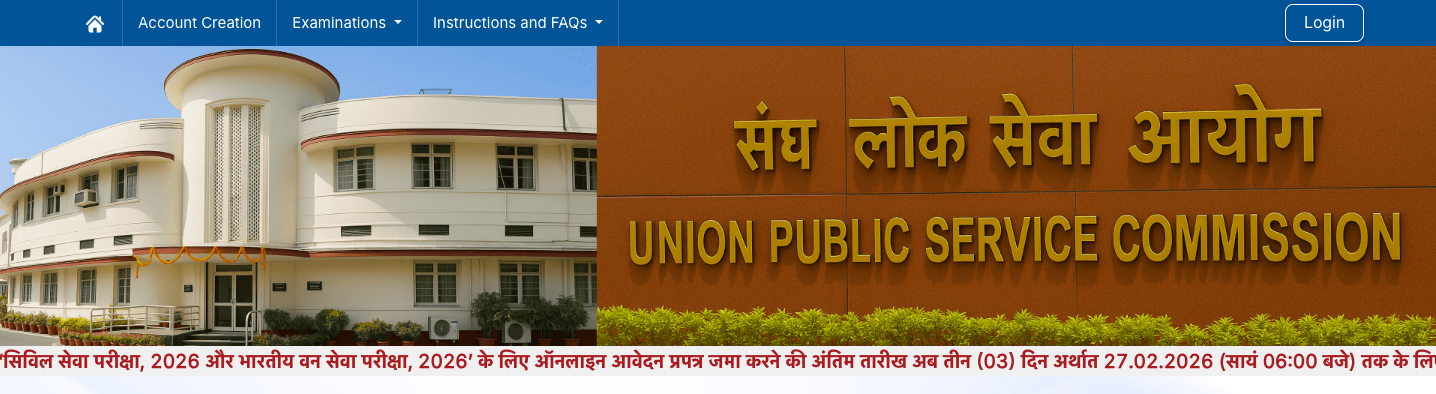
-1771950270359226.png)
If you are preparing for UPSC CSE 2026, this update is extremely important for you. The Union Public Service Commission has officially announced the UPSC Correction Window 2026, allowing candidates to correct errors in their submitted application forms.
Many students face issues like typing mistakes, wrong category selection, incorrect photo upload, or exam center errors. To avoid rejection, UPSC has now provided a correction facility for both CSE (Civil Services Examination) and IFoS (Indian Forest Service) applicants.
Let’s understand everything in simple terms 👇
What is UPSC Correction Window 2026?
The UPSC Correction Window 2026 will open after 27 February 2026.
Candidates will get 3 days to make corrections in their submitted UPSC application form.
This initiative ensures:
- Transparency in the application process
- Fair opportunity to correct genuine mistakes
- Reduced risk of application rejection
UPSC Last Date to Apply 2026 (Extended)
UPSC has extended the last date to apply for CSE & IFoS 2026.
If you were waiting or facing technical issues like:
- “UPSC site not working”
- Payment failure
- Server error on upsconline.nic.in
You now have additional time to complete your UPSC online apply process.
Always apply early to avoid last-day server traffic.
UPSC Online Apply – Official Website
Candidates can apply only through the official portal:
This is the official UPSC online application website. Do not rely on third-party portals.
How to Use UPSC Correction Window 2026?
Follow these simple steps:
- Visit the official website – upsconline.nic.in
- Login using your registration ID & password
- Click on “Correction Window 2026” link
- Edit the required details carefully
- Review all changes before final submission
- Submit and download confirmation
Important: The correction facility will be available only for 3 days, so don’t delay.
What Details Can Be Corrected?
Generally, candidates can correct:
- Personal details (limited fields)
- Category
- Exam center preference
- Uploaded documents
- Educational information
However, some details like name, date of birth, and email ID may have restrictions. Always read the official notification carefully.
Why UPSC Form Gets Rejected?
Many aspirants lose their attempt because of small mistakes like:
- Blurry photograph or wrong signature format
- Incorrect category claim without certificate
- Incomplete payment
- Wrong selection between CSE & IFoS
The UPSC Correction Window helps prevent such issues.
UPSC CSE 2026 – Quick Overview
- Exam Name: UPSC Civil Services Examination (CSE)
- Conducting Body: Union Public Service Commission
- Mode: Online Application
- Selection Process: Prelims → Mains → Interview
This exam recruits officers for prestigious services like IAS, IPS, IFS, IRS, etc.
Facing “UPSC Site Not Working” Issue?
During peak application days, heavy traffic causes server slowdowns.
If you face issues:
- Try applying during early morning hours
- Use stable internet
- Clear browser cache
- Avoid last-date rush
Final Advice for UPSC Aspirants
UPSC is not just an exam, it’s a long-term commitment. One small application mistake can cost you one year. So:
✔ Apply before the UPSC last date
✔ Use the correction window carefully
✔ Double-check all uploaded documents
✔ Start preparation strategically
Looking for Top Online/Offline UPSC Coaching?
If you are searching for the best UPSC coaching (online or offline) with verified reviews, fee details, and real student feedback, connect with AcademyCheck Team today.
AcademyCheck helps students:
- Compare top UPSC coaching institutes
- Get verified student reviews
- Understand fee structure & discounts
- Choose between online & offline modes
- Direct guidance before admission
Don’t take admission blindly. Take the right decision with AcademyCheck.
Enroll through AcademyCheck to get the best possible discount, a free demo, and complete coaching details including fees and refund policy.
- Visit website: AcademyCheck
- Student support: 8062179896
- Academy support: 8287604941
- PG/Hostel support: 9319397093
For more such informative articles and details, please visit our StudySpace profile, and don't forget to like and comment.